
907 Navigation App
What is the 907 Navigation App?
The 907 Navigation App is a free resource designed to help Alaskans easily find and navigate local resources, social services and benefit systems. It provides up-to-date information on available resources, step-by-step navigation support, and additional tools to assist individuals and families in accessing the support they need.
** Help spread the word about the 907 Navigation App! **
For hard copy requests for free business cards or rack cards, please email [email protected]
How is the 907 Navigation App different from Alaska 211?
The 907 Navigation App and Alaska 211 work together to connect Alaskans with essential resources. Alaska 211 is the primary source of resource information in the state, offering a comprehensive database of services through its website and call center. To provide even greater accessibility, the 907 Navigation App integrates 211’s resource listing search directly into the app under the resource tab, ensuring users have access to this valuable information in a mobile-friendly format. However, the 907 Navigation App offers additional features that empower users to navigate complex systems as well.
Key differences and unique features of the 907 Navigation App include:
Systems Navigation Support:
The app not only connects users with resources but also provides tools to help navigate complex social and benefit systems. It offers step-by-step guidance to simplify processes related to healthcare, housing, financial assistance, and more. Additionally, users can watch helpful videos that break down complex topics, making it easier to access the support they need.
Resource Raven AI Chatbot:
The built-in AI-powered chatbot, Resource Raven, is available 24/7 to answer questions about available services and provide system navigation support. This feature of the app requires connectivity to the internet. Whether users need quick answers or in-depth guidance, the chatbot offers instant, personalized assistance.
Benefit Eligibility Calculators:
The app includes interactive eligibility calculators to help users determine which benefits they may qualify for based on their personal circumstances. This feature empowers individuals to explore their options and take the next steps with confidence.
Multilingual Accessibility:
To ensure inclusivity, the 907 Navigation App is available in multiple languages, making critical information accessible to Alaskans from diverse linguistic backgrounds.
Disability-Friendly Features:
The app enhances accessibility by adopting the built-in accessibility features of the user’s device, such as screen readers, text-to-speech, magnification, and other adaptive technologies. This ensures that individuals with disabilities can navigate the app comfortably based on their personalized phone settings.
Convenient Mobile Access:
Unlike Alaska 211, which primarily provides support through a call center and website, the 907 Navigation App offers a self-service mobile experience, allowing users to find and access resources anytime, anywhere.
The 907 Navigation App provides a modern, user-friendly, and interactive platform that ensures Alaskans can access support whenever and wherever they need it. Together, these tools create a well-rounded approach to resource navigation across the state.
FAQ
About the 907 Navigation App
Why did you create the 907 Navigation App?
The Alaska Impact Alliance (AIA) developed and manages the 907 Navigation App to address the need for a centralized platform that helps Alaskans access local and statewide resources AND navigate complex social and benefit systems.
Our goal was to create an intuitive, user-friendly tool that provides the most up-to-date information on available resources while ensuring that content is informed by real users with lived experience. We also aimed to support Alaskan communities by offering an accessible way to maintain and share their resource lists for easy use and referrals.
How is the App funded?
The 907 Navigation App is an AIA initiative, currently funded by the State of Alaska and the Alaska Mental Health Trust Authority.
Getting Started
Is the 907 Navigation App free to use?
Yes, the 907 Navigation App is completely free to use. Our goal is to provide Alaskans with easy access to valuable resources and support without any cost. Whether you’re looking for community services, benefits navigation, or local resources, you can explore everything the app offers at no charge. The app is funded through support from the State of Alaska and the Alaska Mental Health Trust Authority, ensuring it remains accessible to everyone.
How do I download the 907 Navigation App?
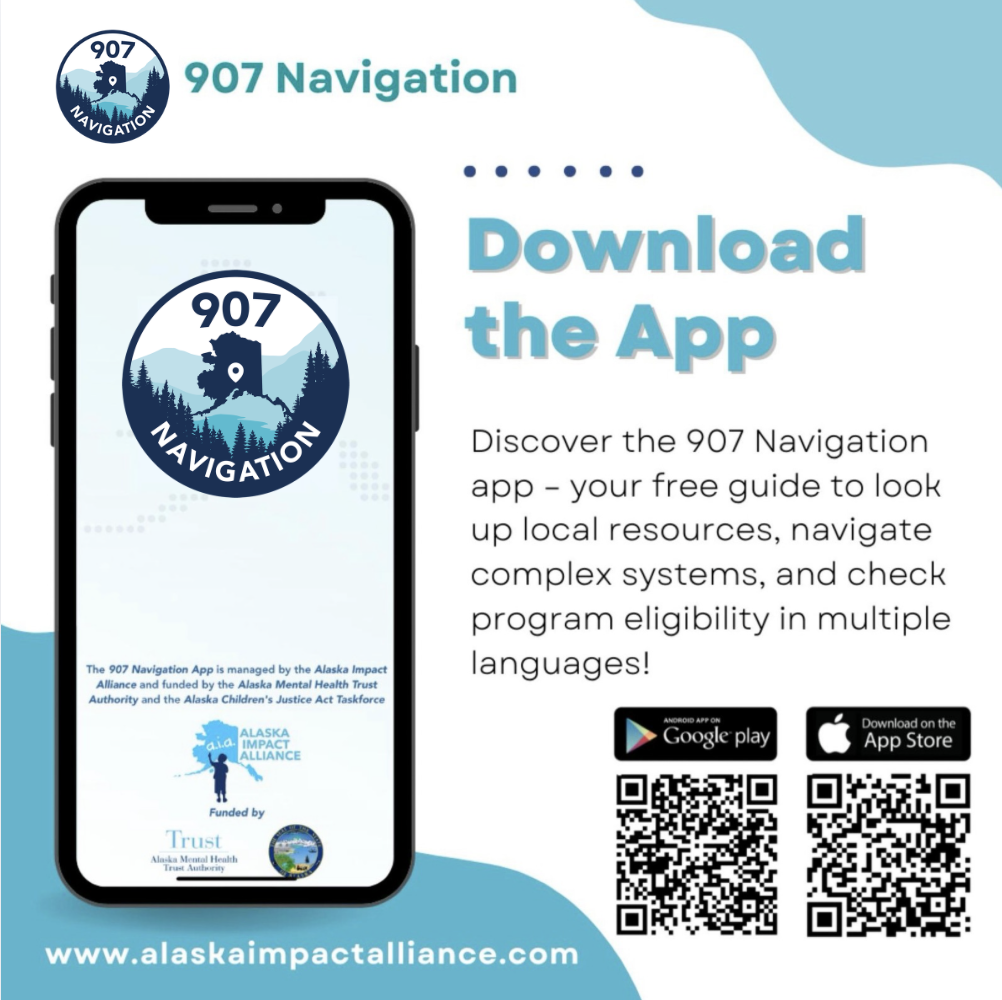
You can download the app from the Apple App Store for iOS devices or the Google Play Store for Android devices by searching “907 Navigation App".
You can also scan the associated QR codes located on the 907 Navigation App marketing materials provided by the Alaska Impact Alliance.
Do I need an account to use the app?
No, the app does not require you to create an account or log in. You can access resources and tools immediately after downloading the app.
What devices are supported?
The app is compatible with most modern Android and Apple iOS devices running the latest operating system updates.
Personalization & Accessibility
Can I customize my experience in the app?
Yes, you can bookmark your favorite resources by touching the "heart" shape next to the resource or system scenarios- which can include video resources. From there you will be able to quickly access that resource at a later time by clicking the heart at the top right corner of the main resource landing page, and you will receive a notification whenever an update is made to that resource or scenario.
Is the app available in multiple languages?
Yes, the 907 Navigation App is available in 13 languages, making it accessible to users from diverse backgrounds. You can also search resources and use navigation tools on the Alaska Impact Alliance Website . Once there, you can change your browser language by clicking the three dots on the top right corner and selecting "Language" or "Translate", which will provide access to over 100 translated languages.
How do I change the language or location settings in the 907 Navigation App?
To change the language or location settings in the 907 Navigation App, follow these steps:
- Open the app and navigate to the Settings tab from the main menu.
- Select “Change Language” to choose from many available languages. The app will update to reflect your preferred language instantly.
- To update your location, tap on “Change Location” in the settings menu and enter your desired city or region to receive more relevant resource information.
These settings allow you to personalize your experience and ensure you receive the most accurate and accessible resource information based on your language preference and location.
Does the app support accessibility features?
Yes, the 907 Navigation App automatically adopts the accessibility settings of your device, such as screen readers, text magnification, and voice control, ensuring an inclusive experience for all users.
Finding Resources
How do I search for resources in the app?
You can search for resources by your selected Location (boroughs/municipality/census area) or Statewide within the app. Select a category and subcategory within the Resources feature, as well as sort by Local, Virtual, or Statewide by touching the associated icon.
- Local: Resources with in-person services in your selected census area
- Virtual: Resources available online, by phone, text, or chat (including AI)
- Statewide: Resources available in-person in two or more census areas, or available to all Alaska residents
When searching Systems, select a category, then scenario.
You can also search keywords by typing what you are searching for in the search box both within Resources and Systems.
Search Alaska 211 by selecting the "Search 211" button located at the bottom of the Resources page.
Additionally, the built-in AI chatbot, Resource Raven, can assist you in finding specific resources quickly. Type or use your microphone to ask it any question about a resource you are looking for in Alaska.
What types of resources are available?
The app provides access to resources related to housing, healthcare, financial assistance, food security, mental health services, childcare, disaster assistance and more.
It also includes resources for specific populations including seniors, youth, people with disabilities, military and veterans and more.
Resources include web links to organizations and programs, social media pages, online applications, PDF documents, videos, other resource databases and resources lists developed by other organizations and programs.
Navigation Tools
How does the app help me navigate benefit Systems?
The Systems navigation tool provides "How-to's" on basic information and instructions in 21 different system categories such as addiction recovery, legal, disabilities, the Office of Children's Services and more. This can include a glossary of common of terms within that system, guidance for specific scenarios, informational videos, and links to more information, applications and other online resources.
Are their tools to help determine my eligibility for benefits?
Yes, the app features interactive Eligibility Calculators* that function as a screening tool to help users assess their eligibility for various programs based on their personal circumstances.
*Disclaimer: Eligibility calculators provide estimates for informational purposes only. They do not determine eligibility, guarantee benefits, or replace official decisions made by programs or government agencies. Users should confirm program requirements and eligibility directly with the responsible organization or government agency.
What is Resource Raven?
Resource Raven is an AI-powered chatbot available 24/7 within the app to answer questions and guide users in finding relevant services and resources.
Resource Updates & Contributions
How often is the 907 Navigation App updated, and how is resource information kept current?
The app content is updated regularly, typically every 2-3 business days, based on user submissions and verification processes.
The 907 Navigation App and its corresponding pages on the AIA website are updated in real time through an administration panel. This system allows the AIA to maintain full control over content updates without relying on third parties. When a user suggests a resource via the app or website, the AIA is notified and reviews the recommendation for accuracy.
Once verified, the resource is promptly added to the platform, ensuring that updates occur seamlessly.
To maintain accuracy, the AIA team conducts regular reviews of existing content, as well as uses software to regularly check for broken website links. Additionally, our goal is for the community to be the driving force behind content creation and verification. This app is truly by Alaskans, for Alaskans.
How can I contribute content or provide feedback on the 907 Navigation App?
Contributing content to the 907 Navigation App is easy and helps ensure that the information stays relevant and useful for all Alaskans.
If you have a resource you’d like to recommend, or suggest an edit to a currently listed resource, you can do so directly through the app or the AIA website (alaskaimpactalliance.com) at the top of the resources page by selecting the "Recommend a Resource" button. Simply submit the resource details, and our team will review and verify the information before adding it to the platform.
We encourage community members with lived experience to share resources that have been helpful to them. Your contributions help keep the app accurate and up to date for everyone.
For other suggestions or feedback, you can "Contact Us" in Settings in the app or on our website on the top right corner of the menu bar.
Does a resource in the 907 Navigation App need to have a website to be listed?
Yes, every resource listed in the 907 Navigation App must have a publicly available online presence to direct users for more information. This can be a traditional website, a Google Maps link, or a social media page (such as Facebook or Instagram). Providing a reliable online link ensures that users can access the most up-to-date details about the resource, including contact information, hours of operation, and services offered.
If a resource does not have an official website, a publicly accessible page that provides accurate and relevant information will meet the requirement.
Community Alerts
What are Community Alerts?
Community Alerts are SMS text and in-app push notifications from the 907 Navigation App partner organizations that send updates about their communities and programs to users who have opted-in to receive them in the App.
Some examples can include health and safety alerts, job or childcare openings, community or school events, weather and travel advisories and more.
This feature is free for both participating organizations, as well as free for the user to opt-in and receive notifications. No account creation is required to view alerts. Participating organizations and programs send out alerts using simple admin dashboard access.
Opting-in to Community Alerts is a great way to stay informed about what is happening in your local community, as well as stay informed about causes that you (the user) care about.
To request more information on how your community or program can take advantage of this free communication tool, contact our team using the "Contact Us" button in Settings.
You can also check out our short Community Alerts video by clicking here.
Community Events
What are Community Events?
Community Events is our newest feature in the 907 Navigation App. The Alaska Impact Alliance has partnered with the Anchorage Daily News and EVVNT, an event marketing, discovery, and ticketing platform, to help Alaskans easily find and share events of all types, statewide.
See what's happening near you, check out free and virtual events, and search by keyword, calendar dates, or categorifies such as Community Events, Kids and Family, Classes and Courses, Conferences, Festivals and more!
This is a free to view and free to market event calendar tool both exclusively in the 907 Navigation App and the Anchorage Daily News Calendar.
Can I promote my upcoming event through the App?
Yes! If your organization or program is hosting an upcoming public event, including classes or trainings, simply click on the plus sign on the top right corner of the Community Events page to add your event details. Once published, your event will automatically be removed once the event date has passed.
Account creation with our partners ADN and Evvnt is not required, but can be helpful if you wish to easily make changes or manage your event after it is published, if you are ticketing your event, or if you plan to promote more than 4 events per month. To create an account, visit: Anchorage Daily News - Powered by Evvnt
*Event Calendar Disclaimer
Events and ticketing are provided through Evvnt, a third party service. The Alaska Impact Alliance does not endorse or manage event listings, ticket purchases, refunds or other ticketing issues.
For assistance with Evvnt, please contact:
Evvnt General Customer Support at: [email protected]
Evvnt Ticket Buyer Support at: [email protected]
You can also visit: https://evvnt.com/
Marketing and Presentation Requests
How can I help spread the word about the 907 Navigation App?
Anyone can help spread the word about the 907 Navigation by:
- Telling a friends, family and coworkers about the App
- Sharing at Community Meetings
- Follow us on Facebook and like and share our posts, or invite others to follow our page!
- Having marketing materials available at your workplace or places you visit in your community. Lobby posters can be downloaded free at our website, and you can also "Contact Us" in Settings to obtain free business cards and rack cards directly mailed to your organization.
- Requesting a free virtual presentation (generally 5-30 minutes in duration, depending on your organization needs) using the "Contact Us" button in Settings, and including the date and time you wish for us to present.
We appreciate your efforts in helping connect Alaskans to resources and support.
Privacy & App Support
Do you collect or use my information?
We do not collect or use personally identifiable information as our app does not require a login. However, we do track general usage data such as total downloads, clicks, preferred location and language, and favorited resources and systems navigation. This information helps us improve the app’s functionality and better understand user needs while maintaining your privacy.
What should I do if the app or features are not working?
If you’re experiencing issues, try the following:
- Ensure you have the latest version of the app installed.
- Restart your device and reopen the app.
- Check your internet connection if online features aren’t loading. If problems persist, Contact Us in Settings or visit the AIA website for troubleshooting support.